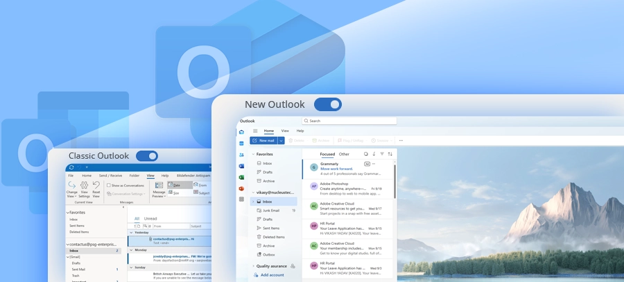
Microsoft is transitioning from Classic Outlook (native desktop application) to the New Outlook for Windows (web-based style web app). This architectural shift introduces several critical trade-offs, workflow disruptions, and system limitations.
Because your daily work relies on laptop mobility, shared calendars, and email-based file attachments (instead of OneDrive/SharePoint links), this update directly impacts users’ core daily routines
Laptop Mobility, Offline Challenges and Internet Dependence:
Classic Outlook saves your emails and calendar onto your laptop so you can work completely offline. New Outlook relies heavily on the cloud. If your internet connection is weak or drops, you may experience sync dropouts, delayed emails and an inability to search past messages.
Shared Calendar Sync and Update Reliability
Some users may experience delays or inconsistencies when shared calendars sync in New Outlook. In certain cases, users may need to remove and re-add a shared calendar to refresh visibility into the latest appointments.
Traditional File Sharing (Email Attachments):
New Outlook is designed to prioritize OneDrive and SharePoint links when files are attached from cloud locations. This may affect users who prefer or require traditional file attachments in email. New Outlook automatically inserts files as a web link.
Quick summary of differences to note
| Feature | Classic Outlook | New Outlook | Notes |
| Design | Traditional desktop ribbon and folder pane | Modern web-style layout and simplified command bar | New Outlook has a unified design across versions |
| Offline access | Strong offline support with local mailbox caching | Limited offline support | New Outlook caches less data |
| Local PST/OST files | Supported | Not supported | New Outlook stores data in the cloud |
| COM add‑ins | Fully supported | Not supported | Impacts Teams and adding Third Party Tools. |
| Search | Local + server | Server-only | Classic can search local cache |
| Shared calendars | Full Featured | Modern Design, Live Sync | New model sometimes has auto sync/mapping issues |
| Attachment handling | Traditional file attachments | Encourages cloud links | New Outlook pushes OneDrive/SharePoint links |
Please review the following links for more information:
https://learn.microsoft.com/en-us/answers/questions/5813458/issues-with-new-outlook